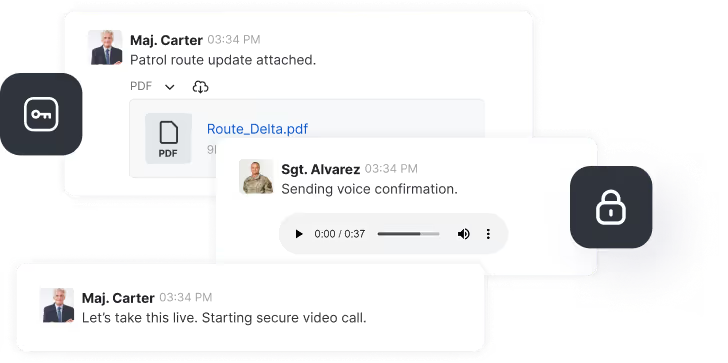
Government communication shapes how agencies coordinate internally, how departments collaborate across boundaries, and how public institutions engage with the citizens they serve. When it fails — through insecure tools, fragmented systems, or non-compliant platforms — the consequences range from operational breakdown to regulatory liability.
This article covers the most widely used government communication platforms across messaging, video conferencing, and citizen engagement. It also outlines the key requirements that should drive platform selection, and where European compliance obligations are changing the field.
What is government communication?
Government communication refers to the structured exchange of information between public sector entities, between agencies and their partners, and between government bodies and citizens.
It covers three distinct layers:
- Internal: messaging and collaboration within departments and agencies
- Intergovernmental: coordination across local, regional, national, and federal bodies
- External: citizen-facing services, public consultation, and emergency communication
Each layer carries different risk profiles. Internal communication typically handles sensitive policy, personnel, and operational data. Cross-agency collaboration may span different security classifications. Citizen engagement platforms handle personal data subject to GDPR-level protections.
Effective internal communication also supports aligned decision-making and streamlined policy implementation. Externally, transparent communication builds public trust and improves responsiveness to citizen needs.
Key requirements for government communication tools
Choosing the wrong platform creates compliance exposure, operational risk, and vendor dependency. These five requirements should guide any procurement decision.
1. Security. Platforms must protect sensitive government data from breaches and unauthorised access. End-to-end encryption and role-based access controls are the baseline, not differentiators. According to IBM's 2024 Cost of a Data Breach report, the average cost of a data breach in the public sector reached $2.6 million — reinforcing why security architecture matters at procurement stage.
2. Compliance. Tools must align with the regulatory frameworks applicable to the agency. In the EU, this means NIS2, GDPR Article 32, and where applicable, sector-specific standards. For US federal agencies, FISMA and FedRAMP authorisation are the entry requirements. Our NIS2 compliance guide covers what this means in operational practice.
3. Interoperability. Most government environments run heterogeneous systems. A platform that cannot integrate with existing infrastructure creates data silos rather than resolving them.
4. Sovereign deployment. For EU institutions and national governments, the ability to deploy on-premises or in a nationally controlled cloud is increasingly a hard procurement requirement. This is not solely about data privacy — it is about maintaining operational continuity if a commercial vendor changes terms, exits a market, or faces sanctions.
5. Scalability. Government communication needs change during crises, elections, and large-scale service delivery. Platforms must scale without degrading performance or security posture.
8 government communication platforms compared
Messaging and collaboration
1. Rocket.Chat
Rocket.Chat is the only open-source platform in this comparison, giving government bodies full control over their communication infrastructure, data, and deployment model.
It can be deployed on-premises, in sovereign cloud environments, or in fully air-gapped environments — including classified networks such as NIPRNet, SIPRNet, and JWICS. For European governments evaluating vendors, it functions as a GDPR-ready alternative to closed platforms; our Microsoft Teams comparison for EU government covers this in detail.
Key features:
- End-to-end encryption for all message types
- Over 180 customisable role-based permissions
- Matrix-based federation for cross-agency collaboration
- Deployment options across cloud, on-premises, and air-gapped networks
Compliance: Supports GDPR, NIS2, and classified network standards. Suitable for defence, healthcare, and critical infrastructure.
.avif)
2. Microsoft Teams

2. Microsoft Teams
Microsoft Teams provides a familiar collaboration environment with strong document management and enterprise security features, including two-factor authentication and data encryption at rest and in transit.
Key features:
- Channel-based messaging and video conferencing in one platform
- Tight integration with Microsoft 365 and SharePoint
- Role-based access and compliance features via Microsoft Purview
Limitations for government: Data residency is cloud-dependent unless running on GCC High or DoD configurations. EU agencies without contractual data residency protections face sovereignty risk. Teams is not open source, and customisation options are limited compared to self-hosted alternatives.
3. Slack

Slack offers a mature channel-based messaging environment with strong search and integrations. It holds FedRAMP authorisation for US federal agencies and integrates with over 2,400 third-party tools.
Key features:
- Channel-based organisation with searchable message history
- FedRAMP authorisation (US only)
- Workflow automation capabilities
Limitations for government: No self-hosted deployment option. Data resides on Slack's cloud infrastructure, which limits its viability for European agencies with strict data residency requirements. See our sovereign Slack alternative analysis for European contexts.
Video conferencing and online meetings
4. Zoom

Zoom is widely used for government meetings and emergency communications. Its FedRAMP-authorised offering (Zoom for Government) is available to US federal agencies.
Key features:
- Supports up to 1,000 meeting participants
- Nomadic E911 for emergency communications
- Visual and audio watermarking for sensitive sessions
Limitations for government: Persistent concerns over data routing have led some EU member states to restrict Zoom for sensitive discussions. UK and EU government bodies should verify data processing terms before deployment.
5. WebEx
Webex offers FedRAMP-authorised video conferencing with on-premises and cloud deployment options. It holds compliance certifications for HIPAA and GDPR and is used by several US federal agencies.
Key features:
- On-prem deployment option available
- High-definition video with built-in noise suppression
- Compliance with FedRAMP, HIPAA, and GDPR
6. Google Meet

As part of Google Workspace for Government, Google Meet supports video conferencing for up to 250 participants, with FedRAMP authorisation for US agencies and GDPR-compliant data processing terms for EU customers.
Key features:
- Integration with Google Workspace productivity tools
- Live streaming to up to 100,000 viewers
- Available as part of broader Google Workspace government contracts
Citizen engagement platforms
7. Granicus

Granicus specialises in government-to-citizen communication, offering tools for public meeting management, digital services, and outreach. It serves over 6,000 government entities globally.
Key features:
- Digital public meeting management
- Outreach and notification tools
- Records management for compliance
Best suited for: Local government, municipalities, and agencies running high-volume citizen communication programmes.
8. CityBase

8. CityBase
CityBase focuses on digital transactions between governments and residents, including payment processing, service requests, and information delivery.
Key features:
- PCI-compliant integrated payment solutions
- Self-service portals for citizen access
- Cross-department payment consolidation
Best suited for: Revenue-generating government services, utility payments, licensing.
Platform comparison: key criteria at a glance
The sovereignty question: why it matters now
Digital sovereignty is emerging as a first-order procurement requirement for government communication, not a preference.
The European Commission's push for technological independence, reinforced by the NIS2 Directive and the EU AI Act, has placed data residency and vendor control at the centre of platform decisions. ENISA's 2023 Threat Landscape identified public administration as the most targeted sector for cyberattacks in Europe — accounting for 19% of all incidents analysed.
For agencies evaluating platforms for secure government messaging, this translates to a clear checklist: where does data reside, who controls the encryption keys, and what happens if the vendor relationship ends?
According to Gartner's 2024 Government CIO research, 61% of government CIOs now cite digital sovereignty as a top-three technology priority — up from 38% in 2022. The direction of travel is clear.
Best practices for implementing government communication tools
Selecting the right platform is only the first step. Implementation decisions shape whether the technology delivers its intended security and operational benefits.
- Define the security classification of communications before selecting tools. Not all government communication is equal. A citizen engagement platform is not appropriate for inter-agency operational coordination.
- Verify compliance claims directly. Vendors routinely claim "GDPR compliance" or "FedRAMP authorisation" — but these apply to specific product configurations and deployment models. Confirm which version of the product holds which certification.
- Plan for federation. Cross-agency collaboration is a core government communication need. Platforms that support open federation protocols (Matrix, XMPP) will integrate more reliably with partner agencies than proprietary alternatives.
- Invest in adoption. Tool selection without structured rollout consistently underdelivers. Training, clear governance policies, and migration support from legacy systems determine whether adoption sticks.
- Monitor continuously. Government messaging platforms require ongoing security review. Threat landscapes shift; compliance frameworks are updated. Static deployment without monitoring creates drift between the security posture assumed at procurement and the reality in production.
Effective government communication with Rocket.Chat
For agencies that cannot accept data leaving a controlled environment, Rocket.Chat's open-source architecture and air-gapped deployment option address requirements that no commercial cloud vendor can match. Its Matrix-based federation enables military-grade messaging interoperability across agencies without requiring shared infrastructure.
The platform supports secure government chat for defence, critical infrastructure, and civilian public sector contexts — with the ability to customise permissions, branding, and integrations to match agency workflows.
For UK and European agencies working through NIS2 obligations or reviewing their platform stack after the ECHR ruling on encryption, Rocket.Chat's architecture means the secure messaging decision stays inside the agency boundary — not with a vendor.
Contact Rocket.Chat to discuss deployment requirements, compliance documentation, or a proof-of-concept in a restricted environment.
Frequently asked questions about <anything>
government communication
What is government communication?
What are the most important security requirements for government communication platforms?
What is the difference between government communication and citizen engagement?
Can government agencies use commercial messaging tools like Slack or Microsoft Teams?
What does "digital sovereignty" mean for government communication?
How does NIS2 affect government communication platform selection?
What is the most secure government communication platform?


- Digital sovereignty
- Federation capabilities
- Scalable and white-labeled

- Highly scalable and secure
- Full patient conversation history
- HIPAA-ready

for mission-critical operations
- On-premise and air-gapped ready
- Full control over sensitive data
- Secure cross-agency collaboration
%201.svg)
- Open source code
- Highly secure and scalable
- Unmatched flexibility

- End-to-end encryption
- Cloud or on-prem deployment
- Supports compliance with HIPAA, GDPR, FINRA, and more

- Supports compliance with HIPAA, GDPR, FINRA, and more
- Highly secure and flexible
- On-prem or cloud deployment